Navigation

  • index
  • next |
  • previous |
  • Chet's Documentation 1 documentation »

Navigating GUI Pages

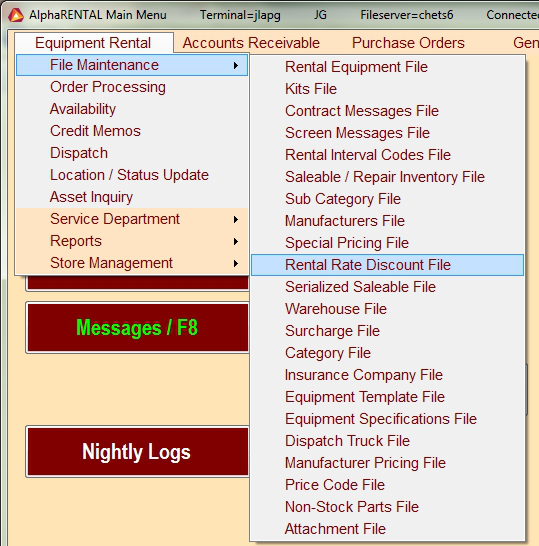
There are several ways to move around within the Alpha Rental GUI system. Across the top of the screen on the main page you will see several of the program groups within the system. These are quick access buttions which will allow you to quickly get to a function.

_images/headerNav.png

Clicking on these headers will produce a drop down menu where you can select the desired function.
_images/headerDropDown.png

These buttons are mainly useful after you have some familiarity with the system and know a little about how it is layed out.

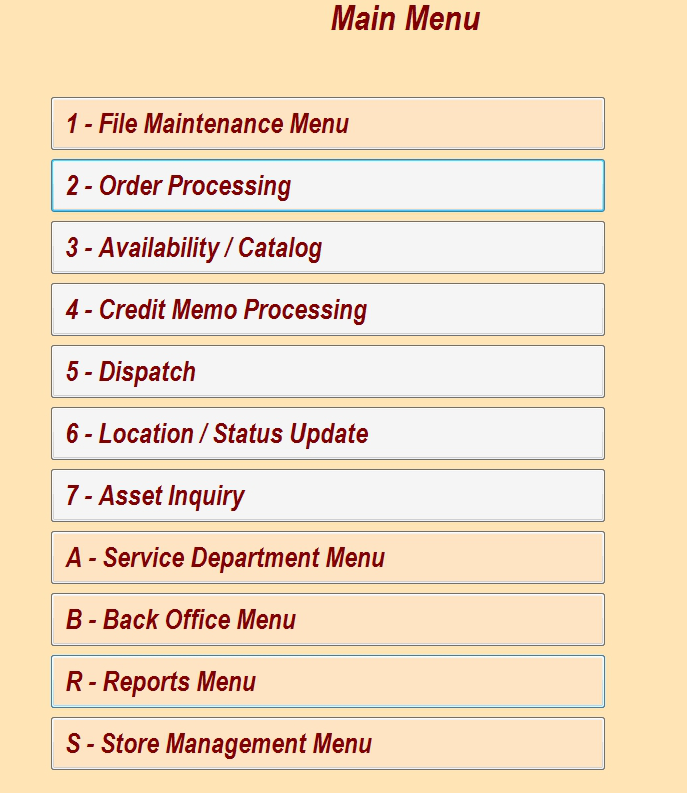
Many of the buttons on the screen also have an associated hotkey to select them. On the main menu the first digit is the hotkey. For example pressing the number 3 will take you to the availability screen.
_images/menuHotkey.png

The other buttons have the hotkey both before or after. It is separated by a / and is usually one of the “F” keys.
_images/buttonHotkey.png

The pages that have tabs, order entry, P.O., etc. have hotkeys to take you to the associated tabs within that page. Pressing the CTRL key and one of the corresponding hotkeys will take you to that tab. In the example picture below, pressing CTRL+7 will take me to the Header tab

_images/ctrlHotkey.png

Using these hotkeys and not relying on moving your hands from the keyboard to the mouse can greatly reduce the time it takes to navigate through a particular task.

Table of Contents

Main Procedures

  • Overdue Equipment
  • Driver Check Lists
  • Towing Policy and Guidelines:
  • Damaged Equipment Procedure

Contents

  • Daily Close Out (GUI)
  • Credit Card Processing
  • Credit Card Return Process
  • Navigating GUI Pages
  • Basic Order Entry
  • Adding Customers
  • Scheduling
  • Using Dispatch
  • Using The Availability Screen
  • Adding And Removing Equipment From Shop
  • GUI Cheat Sheet
  • S Mode Order Processing
  • Daily Invoice Mailing
  • Attaching Packing Slips to PO
  • Saving Lift Files to Y:drive
  • Saving PO to Y:drive
  • Inventory Valuation Processing
  • Inventory Transfers Via S-9-1
  • Annual Inspection Forms
  • Work Orders
  • Working With Images And GIMP
  • Finding Home Store Equipment
  • Report Dispatch Document
  • Approval Limits:
  • Entering contracts after system access is restored
  • Manal Operations

Applications

  • Runboard
  • Using The Helpdesk
  • Employee Portal
  • Inter-Company Parts and Salable Transfers
  • Centralized Procurement

Previous topic

Credit Card Return Process

Next topic

Basic Order Entry

This Page

  • Show Source

Quick search

Navigation

  • index
  • next |
  • previous |
  • Chet's Documentation 1 documentation »
© Copyright 2020, Chet's Documentation. Created using Sphinx 2.3.1.